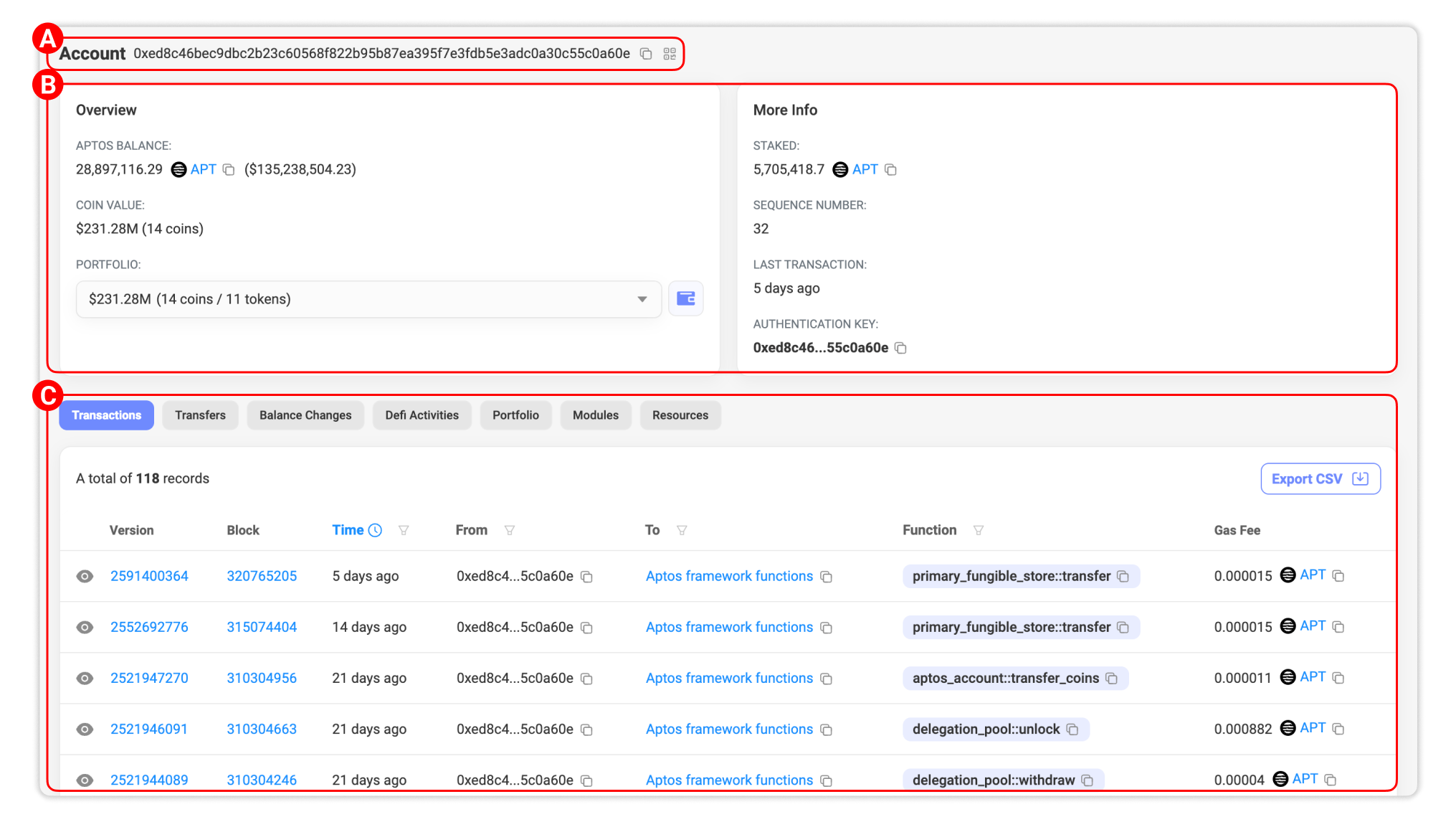
User can look into any Account (i.e. wallet address) page on Aptoscan by pasting a wallet address in the search bar on every page of our website. An Account page is as below. To understand this page, we will break down and go through it in three sections: (A) General information, (B) Account details and (C) Activity.
Section A: General information
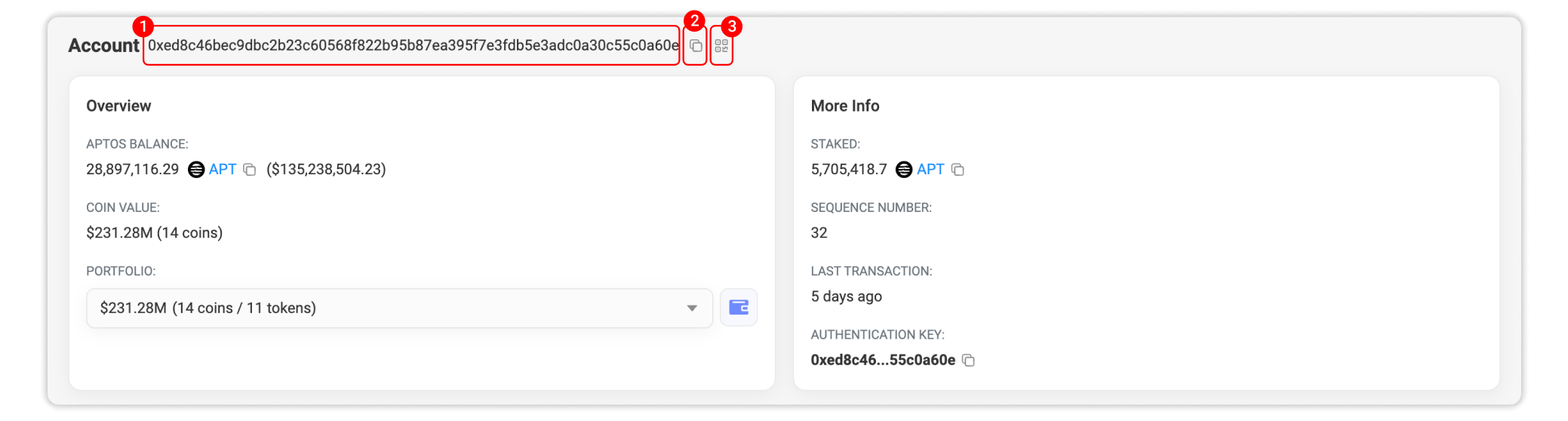
1. Address: This is the wallet address that you are currently viewing.
2. Copy: Click this icon to quickly copy the address into your clipboard.
3. View QR code: Click this icon to view the QR code of the wallet.
Section B: Account details
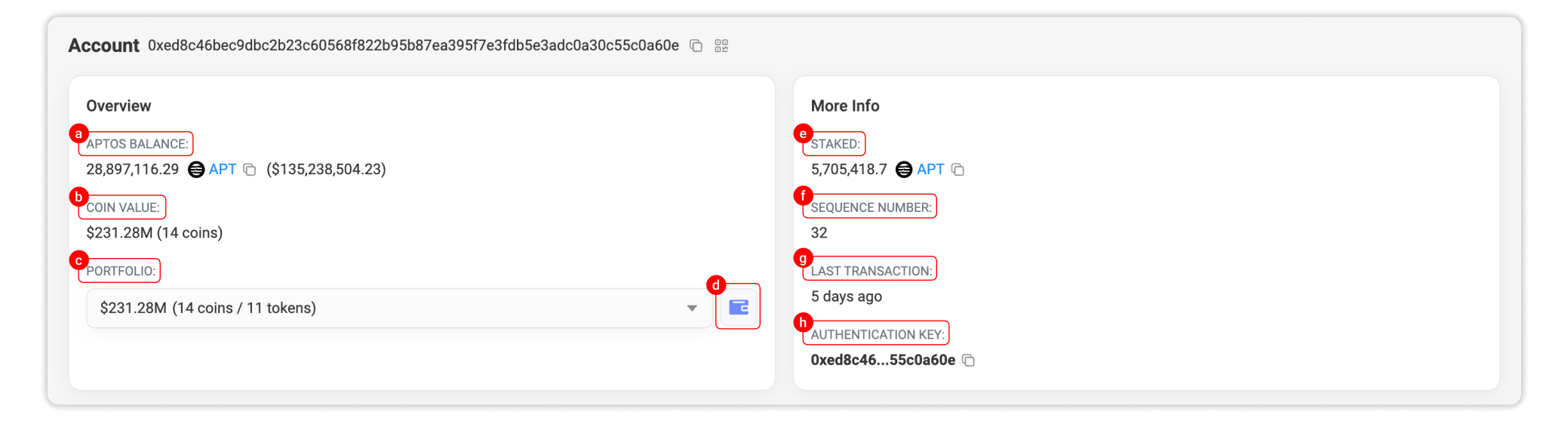
1. Overview
a. Aptos Balance: This shows the total Aptos balance that the wallet is holding and the value (in USD).
b. Coin Value: This shows the total value of coins and fungible assets (in USD) and the number of coins that the wallet is holding.
c. Portfolio dropdown menu: Click on the dropdown menu to see the list of all assets inside the address with their value (if available) in USD.
d. View detail assets: Click this icon to jump to the Portfolio tab that shows a detailed view of the address's assets.
2. More info
e. Staked: This shows the total number APT staked by the account.
f. Sequence number: The sequence number for an account indicates the number of transactions that have been submitted and committed on-chain from that account.
g. Last transaction: The time since the wallet last made a transaction.
h. Authentication key: The authentication key is derived during account creation. It may subsequently change, for example when you generate a new public-private key pair, public keys to rotate the keys.
Section C: Activity
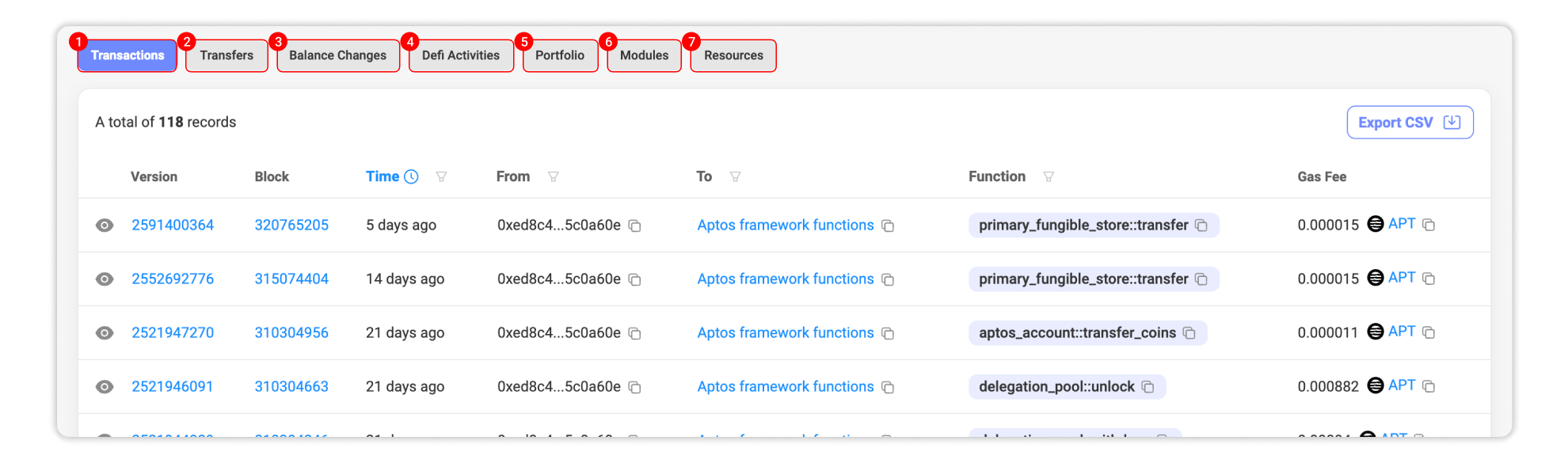
1. Transactions: This tab shows all transactions sent or received by the account, fetched on-chain in realtime.
2. Transfers: This tabs shows all token transfer events of the wallet in chronological order from the latest.
3. Balance Changes: This tab displays wallet balance changes of all transfer activities of the wallet.
4. Defi Activities: This tab shows all trading activities on major Aptos DeFi platforms performed by the wallet.
5. Portfolio: This tab shows a detailed list of assets that are held by the wallet.
6. Modules: The modules that are stored within the account.
7. Resources: The resources (on-chain state) that are stored within the account.