The Program page on Solscan provides a detailed view of a Solana program (smart contract). On Solana, programs are on-chain executable code that power decentralized applications such as decentralized exchanges, lending protocols, NFT marketplaces, and other blockchain services.
This page allows users to inspect a program’s metadata, monitor how it is used on-chain, and analyze the transactions and accounts interacting with it.
You can access a Program page by entering a program ID into the Solscan search bar.
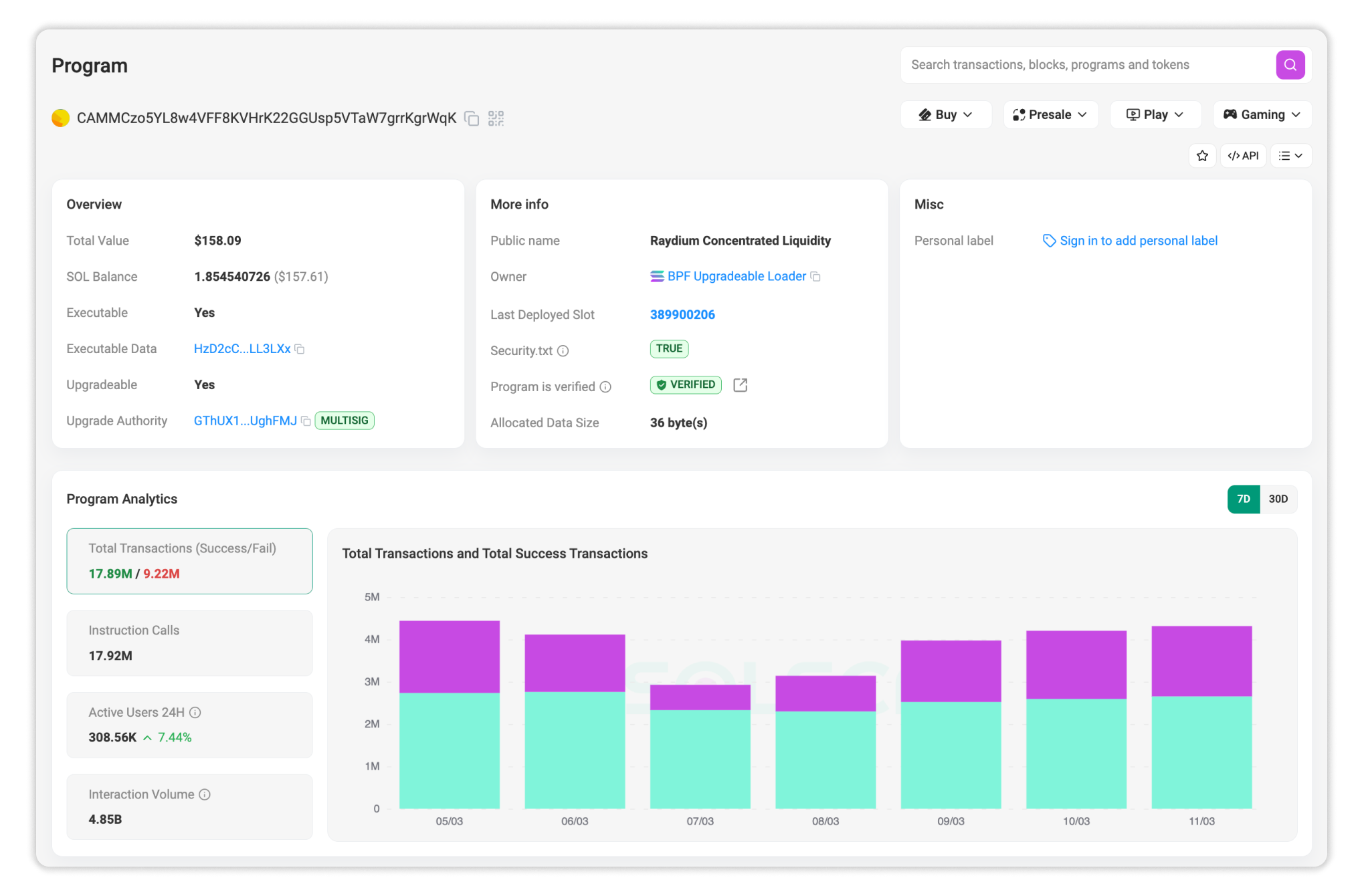
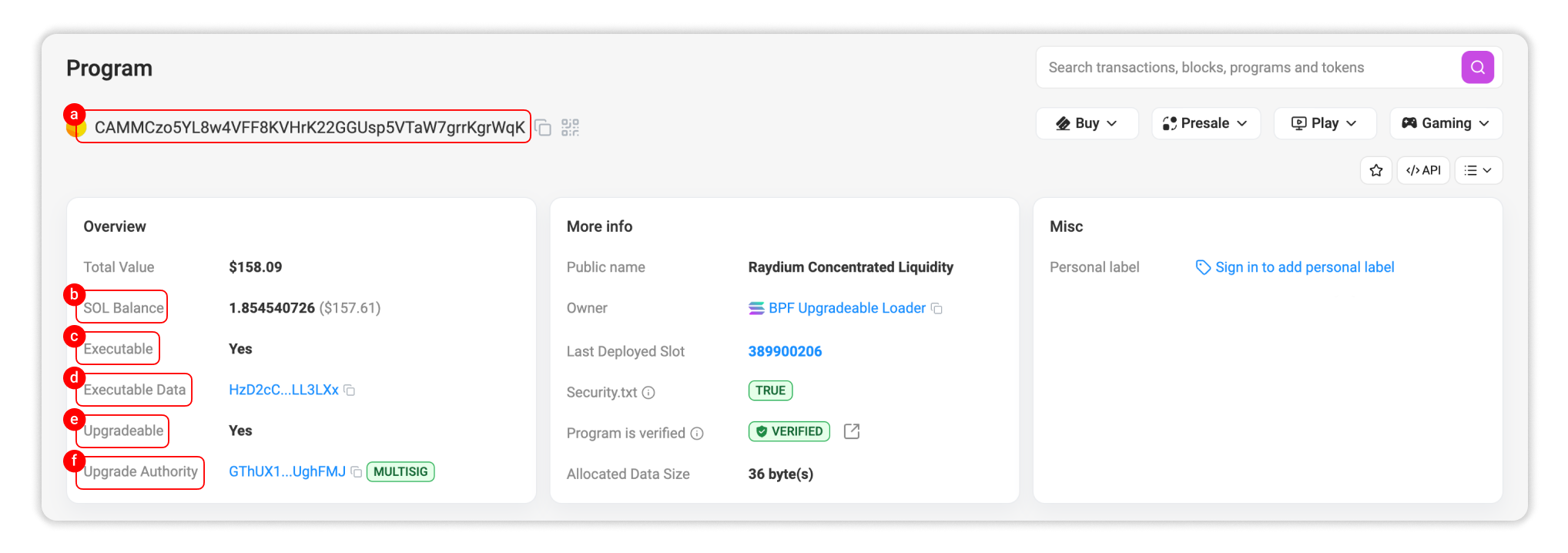
Section A: General information
1. Overview
The Overview section summarizes key attributes of the program account. These fields help users quickly verify the program’s configuration and operational status on-chain.
This section includes:
a. Program Address: The unique public key that identifies the program on Solana.
b. SOL Balance: The amount of SOL held by the program account. This balance may exist for: Rent-exemption requirements; maintaining the program account;…
c. Executable: Indicates whether the account contains executable code. If the status is Yes, the account is an executable program. If it’s No, the account is a regular account that cannot execute instructions.
d. Executable Data: The program data account that stores the compiled program code on-chain. Solana programs are typically written in Rust or C, compiled into sBPF bytecode, and deployed as executable data that the runtime executes when transactions call the program.
e. Upgradeable Status: Indicates whether the program can be upgraded after deployment. If the status is Yes, the program can be upgraded after deployment. If it’s No, the program is immutable.
f. Upgrade Authority: The address that has permission to deploy updates to the program. If the upgrade authority is controlled by a multisig wallet, the indicator “Multisig” will be displayed.
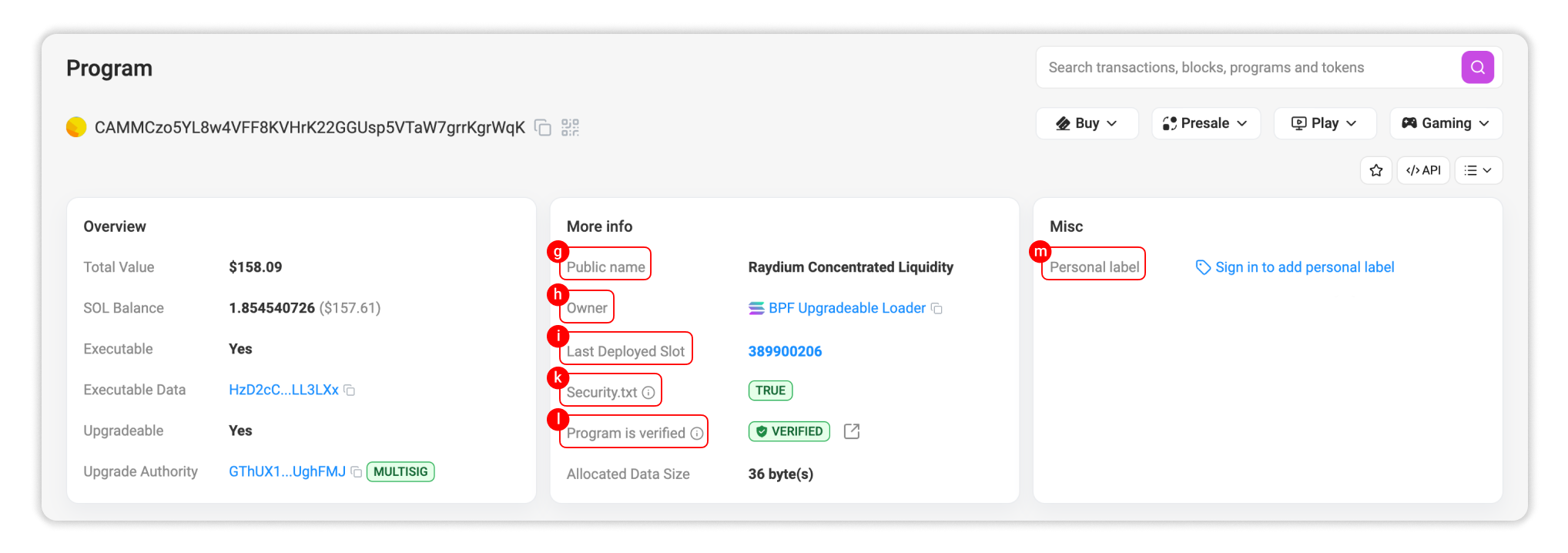
2. More Info
The More Info section provides additional metadata related to the program account and its deployment details.
This section includes:
g. Public Name: A human-readable label assigned to the program by Solscan team when available. This helps users recognize well-known protocols without relying solely on raw addresses.
h. Owner: The loader program responsible for managing the program account.
i. Last Deployed Slot: The blockchain slot in which the program was last deployed or upgraded.
k. Security.txt: Indicates whether the program has a published security.txt file for responsible vulnerability disclosure guidelines and security contact details. If the status is True, you can click on the indicator to see the file details. If it’s False, the program has not published a security.txt file.
l. Program Verification Status: Indicates whether the deployed program matches its publicly available verified source code. If the status is Verified, you can click the external link icon to view the published source code. If it’s False, the program is not verified, meaning the deployed bytecode cannot be matched with publicly available source code.
3. Misc
m. Personal label: Signed-in Solscan users can assign custom labels to addresses for tracking programs and accounts. These labels are private to the user and do not appear publicly.
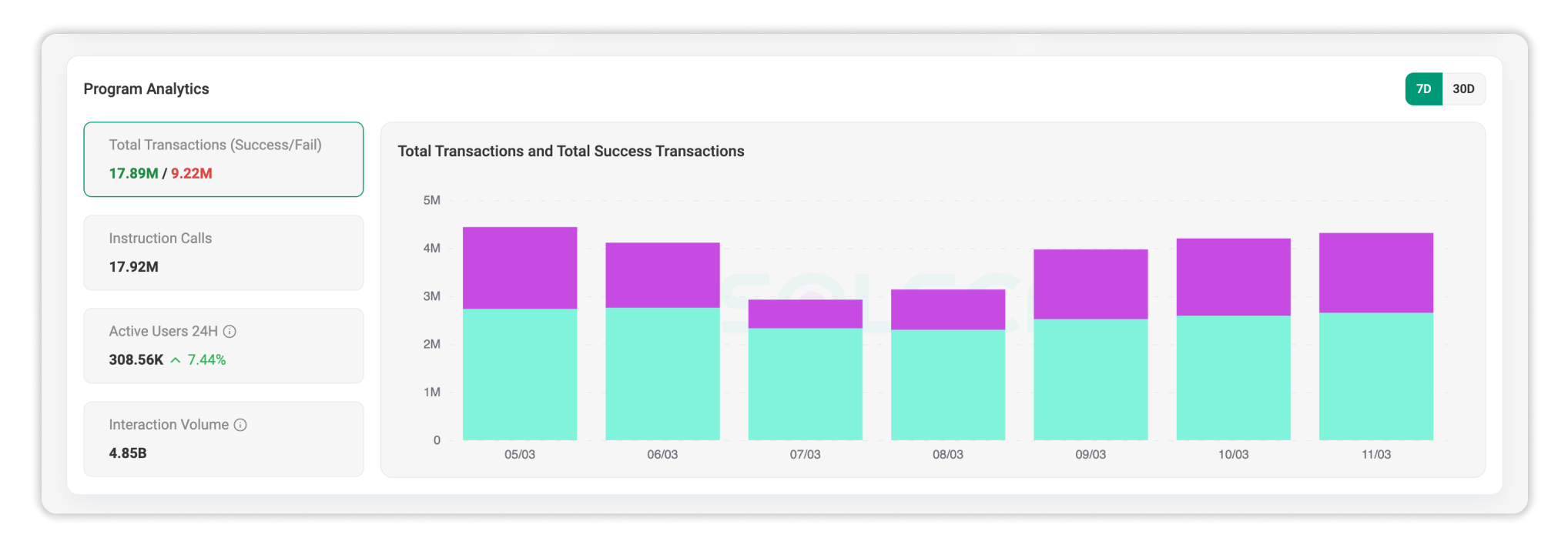
Section B: Program analytics
The Program Analytics section provides aggregated insights into how the program’s performance on the network. Analytics includes:
- Total transactions, including successful and failed transactions.
- Number of instruction calls.
- Number of active users in the last 24 hours.
- Total interaction volume of transactions involving the program within the selected time frame.
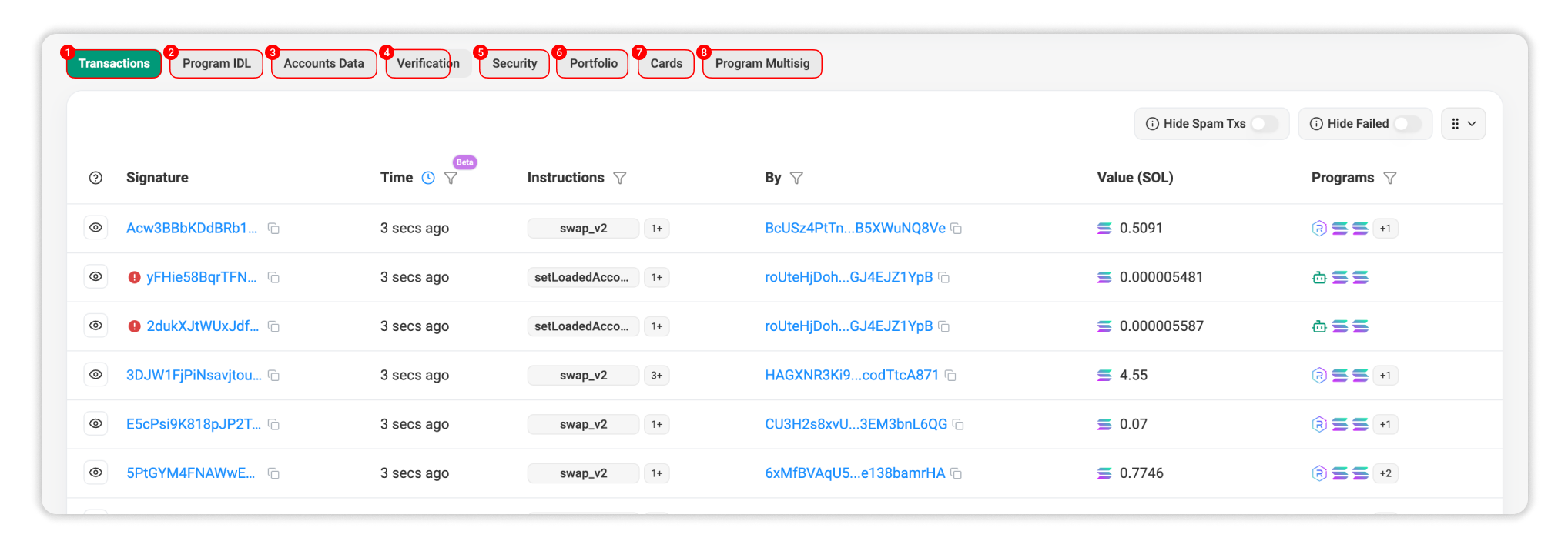
Section C: Details
1. Transactions: A real-time list of transactions where the program was invoked during execution. In this table, users can review the transaction signature, execution time, involved accounts, and other programs invoked during the transaction execution.
2. Program IDL: This tab displays the IDL of the program if it has been published on-chain.
3. Accounts Data: This tab displays accounts owned by or associated with the program.
4. Verification: This tab displays the verified public source code of the program.
5. Security: This tab displays security-related information connected to the program.
6. Portfolio: This tab shows assets associated with the program account.
7. Program Multisig: If the program’s upgrade authority is managed by a multisig, this tab displays related information.