Etherscan offers several newsletters to keep you informed with the latest features, updates, developer content, and market insights. You can manage your subscriptions at any time from your account settings.
🟢 To Subscribe
For users with a Etherscan account
- Log in to your Etherscan account.
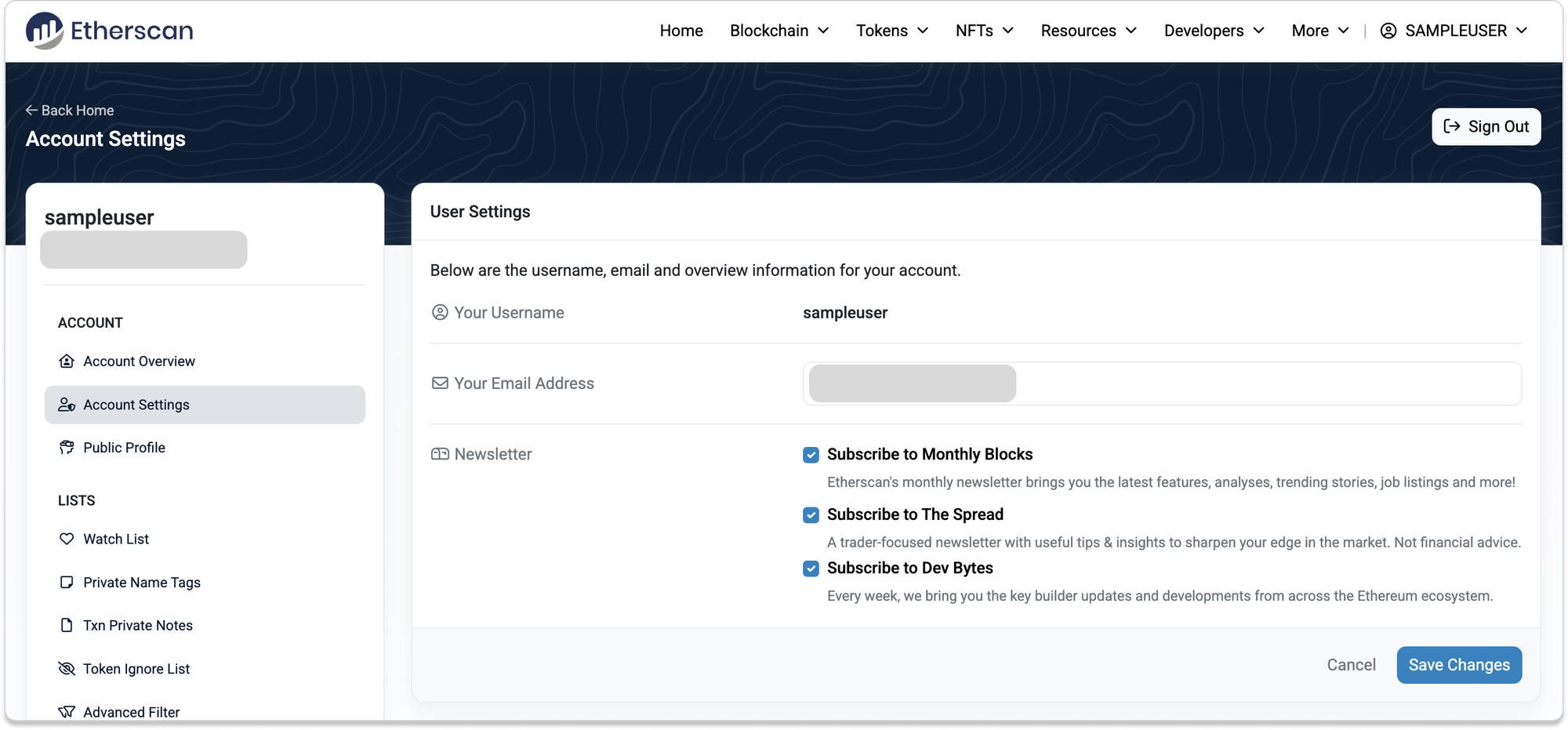
- Go to Account Settings in the left-hand menu.
- Under Newsletter, tick the checkboxes next to the newsletters you'd like to receive:
- Subscribe to Monthly Blocks – Product features, trending stories, and community updates.
- Subscribe to The Spread – Trader-focused insights and market tips (not financial advice).
- Subscribe to Dev Bytes – Weekly developer updates across the Ethereum ecosystem.
- Click Save Changes.
For users without a Etherscan account
Follow these steps to create an account and subscribe to the newsletter:
- Open your browser and go to Etherscan.io.
- Click Sign In in the top-right corner, then click Sign Up on the login page.
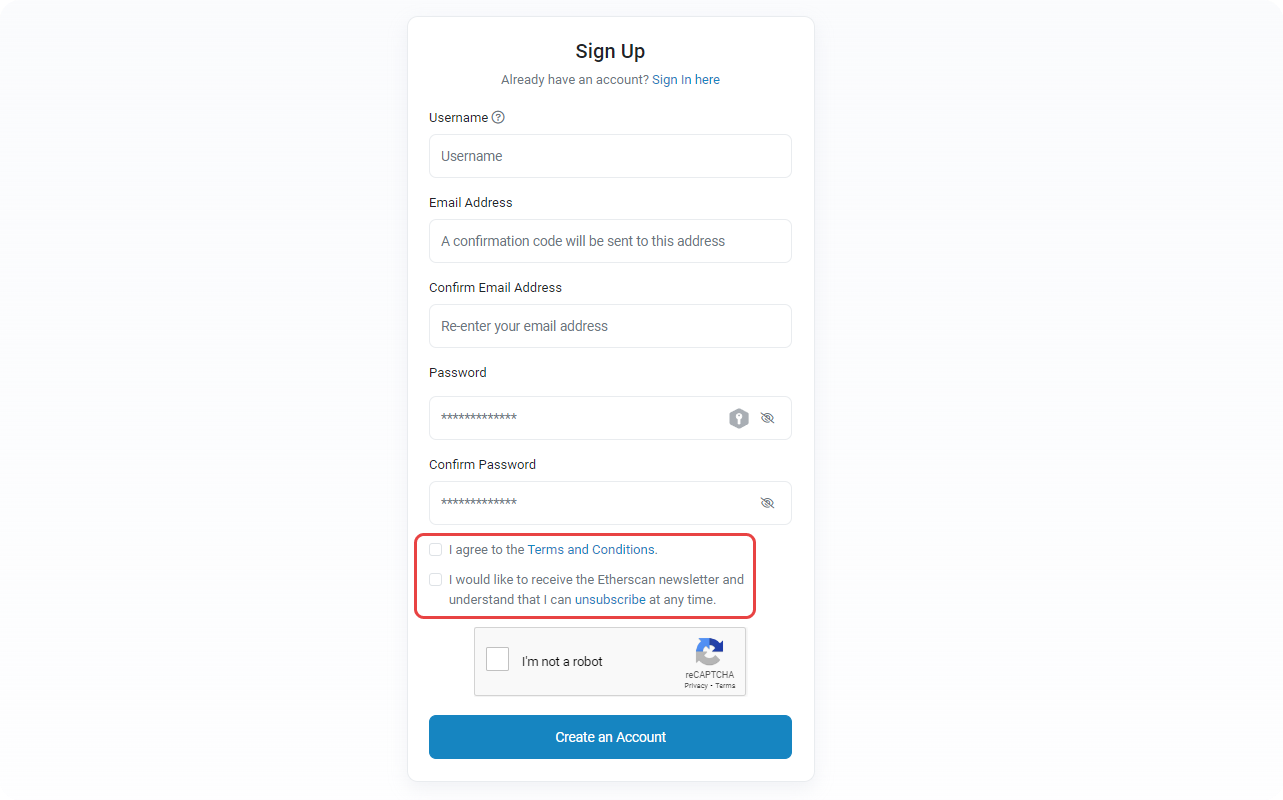
- Fill in your details on the registration form:
- Username
- Email address (twice)
- Password (twice)
- Make sure to check both:
- ✅ I agree to the Terms and Conditions.
- ✅ I would like to receive the Etherscan newsletter and understand that I can unsubscribe at any time
5. Complete the reCAPTCHA checkbox to verify you're human.
6. Click Create an Account.
📧 Email Verification
- Check your inbox for a verification email.
- Can’t find it? Check your Spam or Junk folder.
- Still no luck? Wait a few minutes, email delivery may be delayed.
8. Open the "Please confirm your email [Etherscan.io]" email and click the verification link to activate your account.
9. Once verified, you can log in and will be subscribed to the newsletter(s) you selected.
🔴 To Unsubscribe
- Log in to your Etherscan account.
- Go to Account Settings in the left-hand menu.
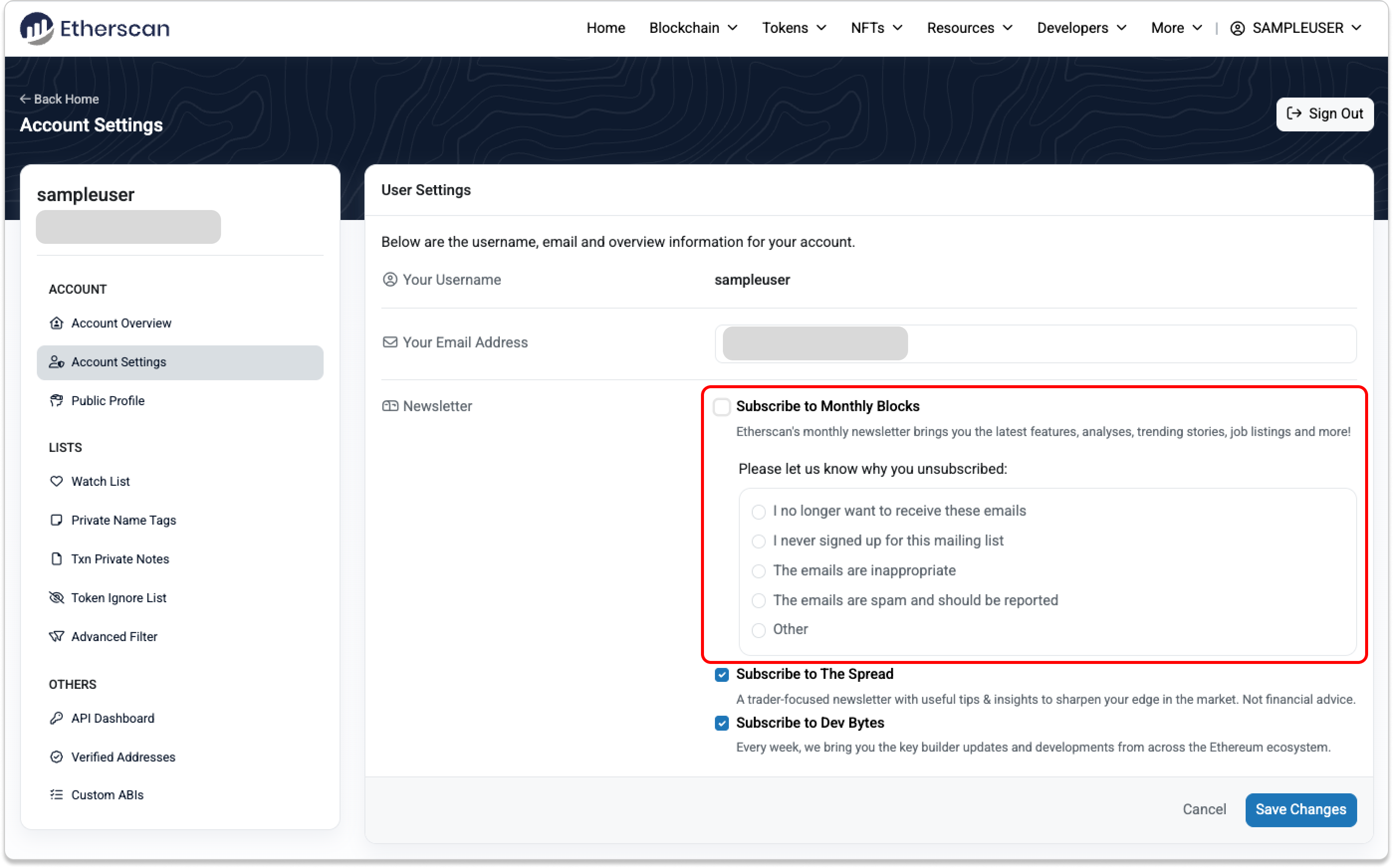
- Uncheck the boxes next to any newsletters you wish to unsubscribe from.
- A short feedback form will appear, select a reason for unsubscribing (optional).
- Click Save Changes.
Once completed, you will stop receiving those selected newsletters from Etherscan.