The Contract tab on Etherscan is divided into three sub tabs: Code, Read Contract, and Write Contract.
This guide focuses on the Code sub tab, where you can view a contract’s source code and functionality. This is useful for understanding how a contract is built and what it does.
If you’re looking to interact with a contract instead, such as reading data or executing functions, refer to our guide on how to use read/write contract features on Etherscan.
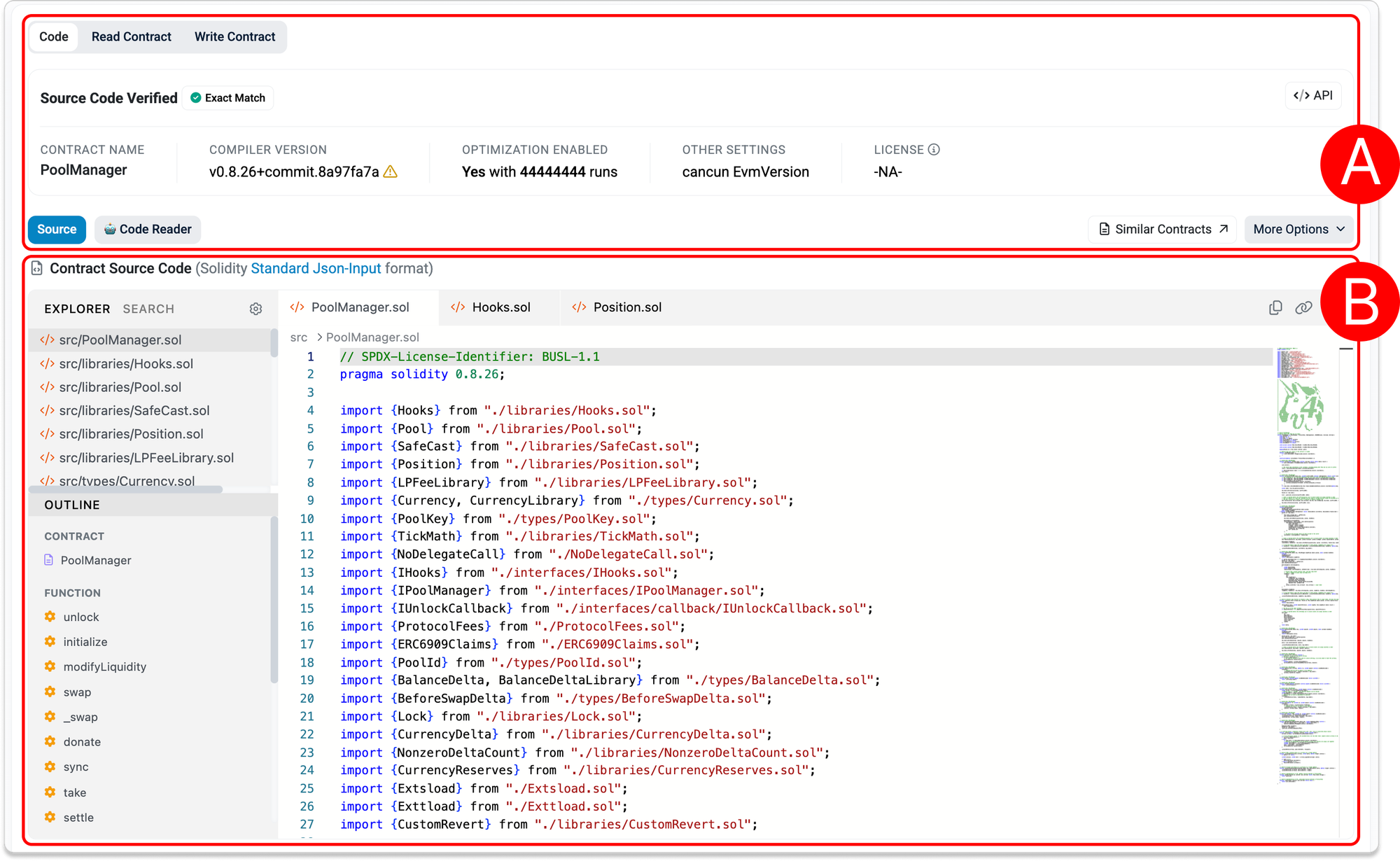
A. Contract Code Overview
At the top of the tab, you’ll find a summary of the contract’s verification and compilation details.

Key fields
- Source Code Verified
Indicates whether the contract’s source code has been verified on Etherscan.- Exact Match
The published source code fully matches the deployed bytecode. This means the code you see is an exact representation of what is running onchain. - Similar Match
The contract’s bytecode matches a previously verified contract on Etherscan, but may differ in constructor arguments or initialization.
- Exact Match
- Contract Name
The name of the main contract (e.g.PoolManager). - Compiler Version
The Solidity compiler used to compile the contract. This matters because different versions can produce different bytecode. - Optimization Enabled
Shows whether compiler optimization was enabled and how many runs were used. Optimization can reduce gas costs but may affect readability. - Other Settings
Additional compilation settings such as EVM version (e.g. Cancun). - License
The license under which the contract’s source code is released.
Actions
- </> API
Opens the Etherscan API endpoint for the contract’s verified source code. This is useful if you want to retrieve the source code programmatically for analysis. - Code Reader
Opens an AI-powered tool that helps you understand the contract’s source code. - Similar Contracts
Lets you explore contracts with similar bytecode across all chains that have an explorer run by Team Etherscan. - More Options
Provides additional tools for analyzing and comparing the contract:- Sol2Uml
Generates a visual representation of the contract structure. This can help you understand inheritance and relationships between contracts more quickly. For example. - Submit Audit
Allows a project to share or surface audit information related to the contract. - Compare
Lets you diff check the contract against another contract, which can be useful for spotting differences in implementation or verification.
- Sol2Uml
B. Contract Source Code
This section displays the source code of the contract.
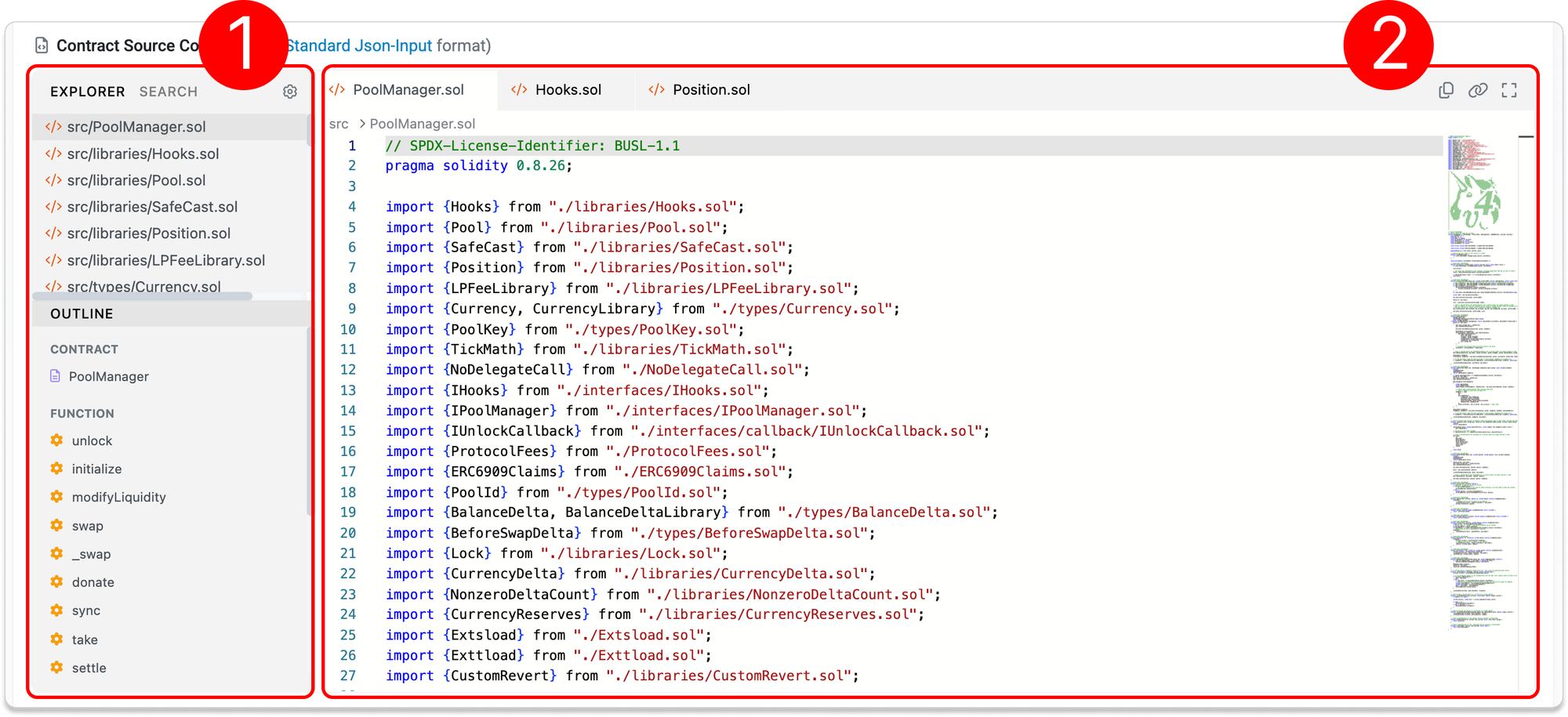
1. Left panel
- Explorer/File tree
The file tree shows how the contract is organized.- Contracts are often broken into multiple files such as:
- Core contract (
PoolManager.sol) - Libraries (
Hooks.sol,SafeCast.sol) - Interfaces and types
- Core contract (
- Click on any file to view its contents.
- Contracts are often broken into multiple files such as:
- Search
The Search tab lets you find specific keywords across all files in the contract source code. This is useful for quickly locating:- Functions
- Variables
- Specific logic or code snippets
- Settings
The settings menu allows you to adjust how the code is displayed:- Word Wrap
Toggles whether long lines wrap within the viewer - Truncate Filename
Shortens long file names in the file tree for easier viewing
- Word Wrap
- Outline
The outline provides a quick index of the contract’s structure. You can click any function to jump directly to its location in the code. This is especially useful for large contracts with many functions. It lists:- Contract names
- Functions (e.g.
initialize,swap,modifyLiquidity)
2. Main panel
- Code viewer (main panel)
The code viewer displays the contents of the selected file.
Here you can:
- Read the contract logic line by line, including imports, functions, and parameters
- Open multiple files in tabs
- Copy the full source code of the selected file with one click
- Copy a permalink to a specific line of code you're highlighting
- Toggle fullscreen mode
- Quickly jump to different sections of the file using the overview scrollbar
C. Contract Details
Below the source code, you’ll find additional technical details about the contract.
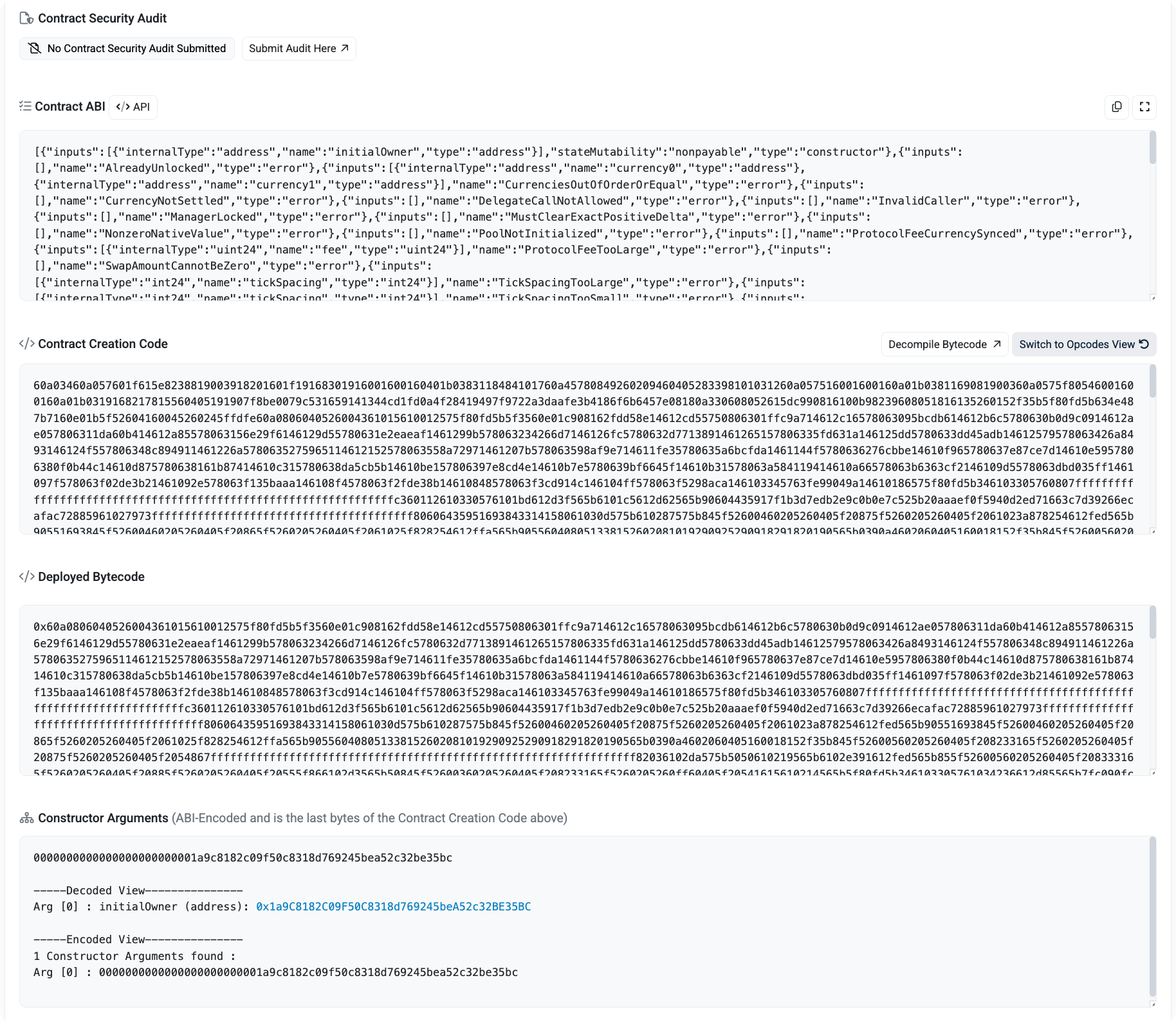
- Contract Security Audit
Shows any submitted audit reports. Availability depends on the project. - Contract ABI
Defines how applications interact with the contract, including functions, parameters, and events. You can also retrieve the ABI via Etherscan API endpoint. - Contract Creation Code
The compiled bytecode used to deploy the contract, including constructor logic. - Deployed Bytecode
The code currently stored onchain and executed by the EVM. - Constructor Arguments
The parameters used during deployment, shown in both encoded and decoded formats.