Released November 2025
This update introduces several structural and performance-focused improvements to the Transaction Details page. The goal is to deliver faster load times, clearer interpretation of complex transactions, and a more efficient workflow for users who routinely inspect instruction-level data.
Here are the full details:
1. Key Actions Mode
A new Key Actions Mode toggle has been added to streamline how dense, multi-instruction transactions are displayed. When enabled, the interface filters the full instruction list down to only the most essential, high-impact instructions.
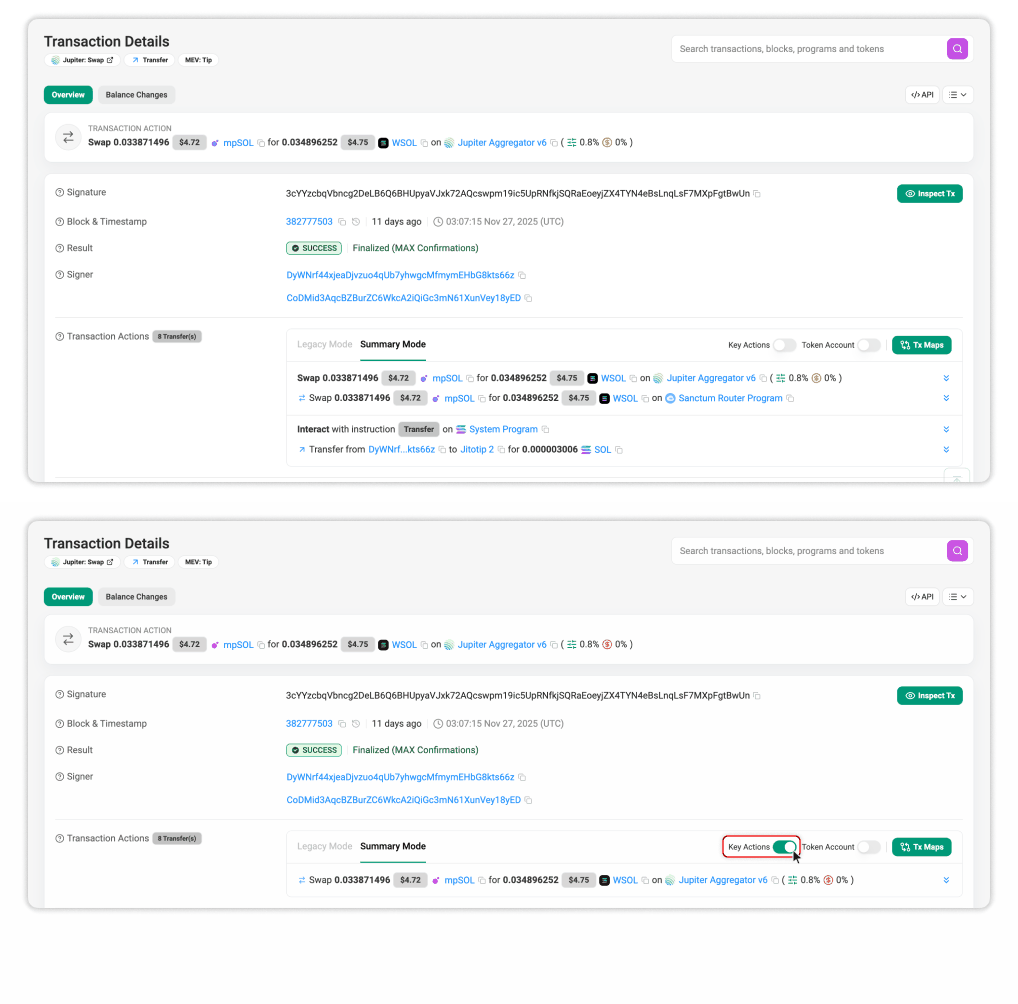
Highlights:
- Reduces visual noise by hiding non-critical or auxiliary instructions.
- Helps isolate the core intent of a transaction, such as swap operations, liquidity actions, NFT purchases, or staking updates.
This mode is designed for power users who need to assess intent quickly without navigating every instruction in the raw sequence.
2. Transfer Count Indicator
A new Transfer Count indicator displays the total number of transfers occurring within the transaction.
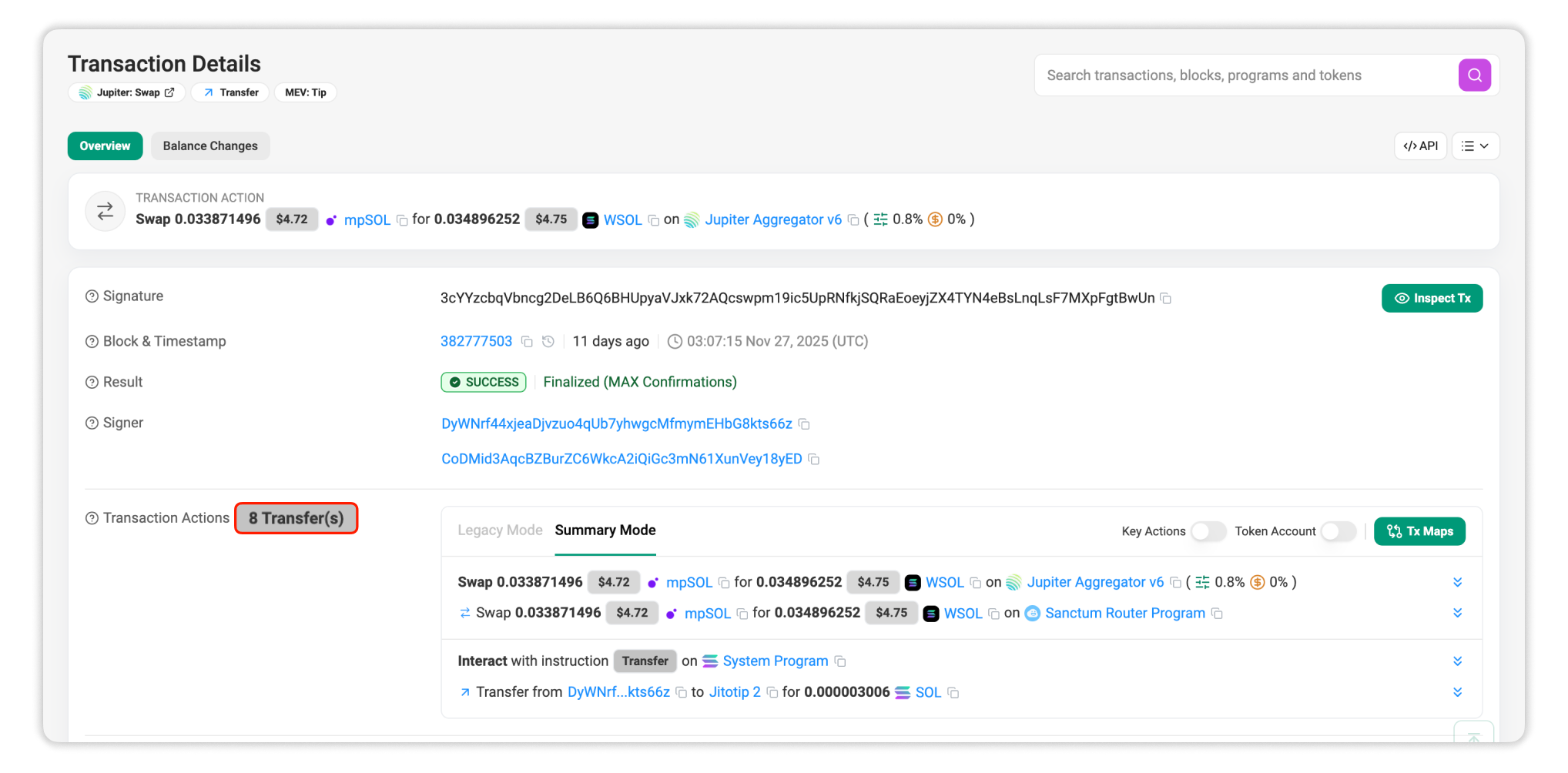
What it provides:
- Immediate understanding of how many value-transfer events took place.
- When paired with the Action Summary, it provides a higher-level snapshot before examining individual balance changes.
3. Unified Balance Changes View
The previous SOL Balance Changes and Token Balance Changes tabs have been merged into a single Balance Changes view.
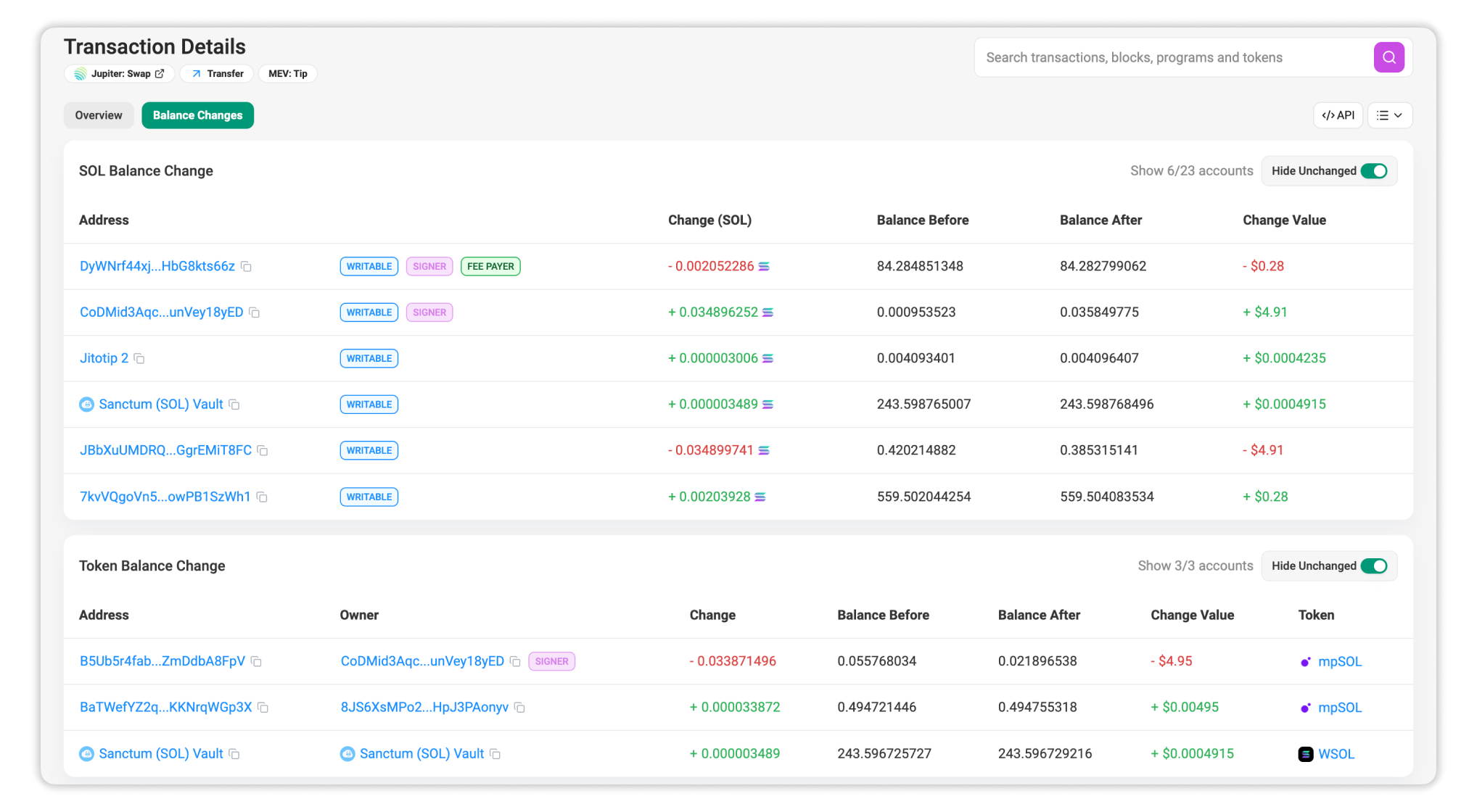
Improvements:
- Displays all balance deltas (SOL and tokens) in one consolidated table.
- Shows pre- and post-balance values for every involved address.
- Enables faster tracing of value movement without switching between tabs.
This unification turns balance inspection from a multi-tab process into a single, streamlined review.
4. Auto-Collapsed Instruction Details and Program Logs
Instruction details and program logs now load collapsed by default, significantly improving loading time for the Transaction Details page.
Technical & usability changes:
- Reduces initial render time for large transactions.
- Users who prefer to expand all instructions and logs by default can enable this through: Site Settings → Advanced Features.
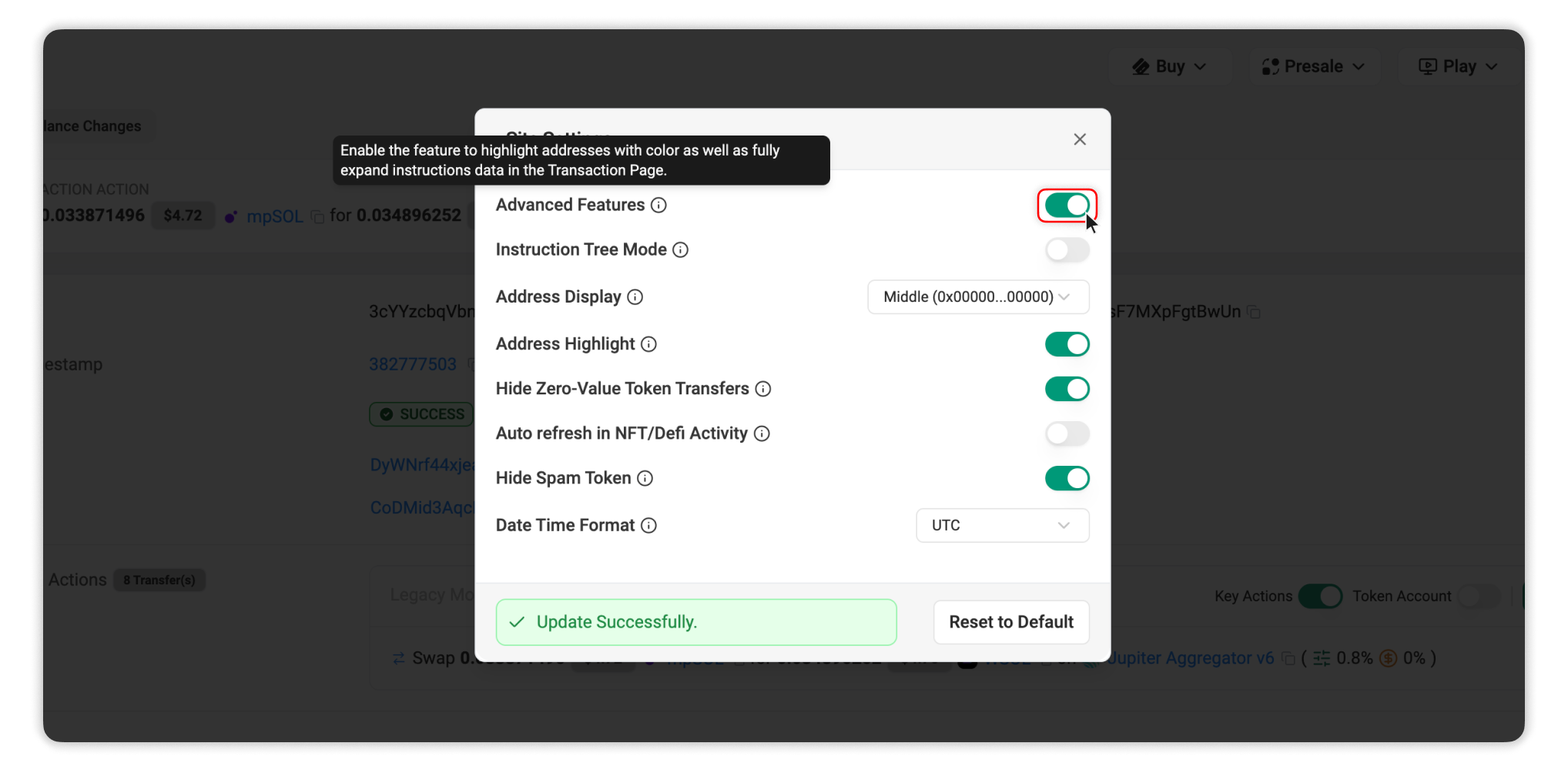
This delivers an optimized default experience while preserving configurability for advanced users.